A handheld already gives you the freedom to game anywhere. Pair it with a second screen and suddenly you've got a couch setup, a hotel room gaming station, or a proper co-op session with a friend, all from a device that fits in a backpack.
Why Bother With a Second Screen at All?
Handhelds are great until your hands start cramping from holding the same six-inch screen for three hours straight. RPGs, shooters, strategy games, anything text-heavy - all of it gets easier to enjoy on a bigger display.
Steam Deck's official dock connects to a monitor through DisplayPort or HDMI without much fuss. ROG Ally works the same way through a USB-C to HDMI dock, and that same dock can charge the device while you play, so you're not juggling two cables.
The real reason people do this comes down to comfort. Sit back, grab a controller, and your handheld basically becomes a mini console. It also solves the awkward "two people staring at one six-inch screen" problem during local co-op.
Best Monitor Types for Handheld Gaming
The right pick depends on how and where you play, not on chasing the most expensive spec sheet.
|
Monitor Type |
Best For |
What to Look For |
|
15.6-inch 1080p |
Casual handheld gaming |
USB-C, light body, built-in stand |
|
16-inch 2K |
Sharper RPGs and strategy games |
16:10 ratio, good brightness |
|
120Hz or 144Hz screen |
Shooters and fast action |
High refresh rate, low input lag |
|
Touchscreen model |
Windows handheld users |
Reliable touch, USB-C support |
|
18-inch and up |
Desk or hotel setup |
Stable stand, external power option |
For most Steam Deck and ROG Ally owners, a 15.6 or 16-inch portable monitor hits the sweet spot. Big enough to matter, small enough to still throw in a bag.
A Few Monitors Actually Worth Considering
Here are four real options across four different brands, starting with the one built specifically around Steam Deck.
UPERFECT GR156BF, 15.6-inch, 120Hz
This one's built specifically with Steam Deck in mind, and it's priced accordingly, starting from $269.99. Made by UPERFECT, it's USB-C powered, has a 120Hz refresh rate, and is portable enough to travel with. If you want something designed around the handheld rather than adapted to it, this is the more purpose-built pick of the group.
ASUS ROG Strix XG17AHPE, 17.3-inch, 240Hz
Since ASUS builds the ROG Ally itself, it makes sense they'd also make one of the more capable portable monitors on the market. The XG17AHPE runs a 17.3-inch Full HD IPS panel at up to 240Hz with a 3ms response time, which is far more headroom than a handheld actually needs, but it means motion stays smooth even when frame rates dip.
It carries its own 7800mAh battery, good for a few hours of play, and connects through USB-C or micro-HDMI. The ROG Smart Case that ships with it doubles as a stand, so you're not buying a separate one.
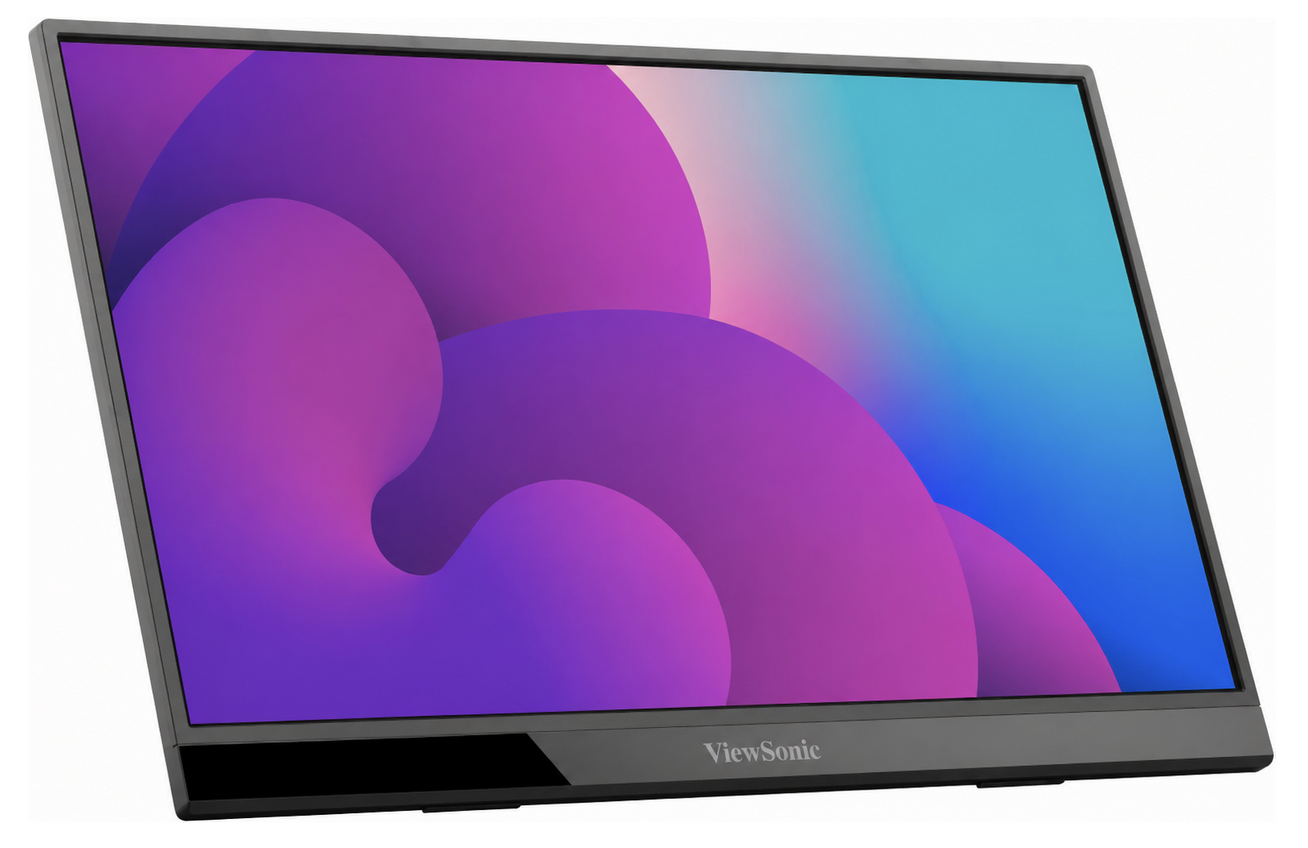
ViewSonic VX1655, 15.6-inch, 1080p
 zdroj:
komerční sdělení / PR
zdroj:
komerční sdělení / PR
A simpler, no-frills option if 240Hz sounds like overkill for what you actually play. The VX1655 is a 15.6-inch 1080p IPS panel with two USB-C ports for two-way charging, plus mini-HDMI and a headphone jack.
It's under an inch thick and weighs less than two pounds, with the kickstand built directly into the panel rather than bolted on. Good pick for someone who wants a clean, reliable second screen without paying for a refresh rate they won't use.
Lenovo ThinkVision M14, 14-inch, 1080p
The lightest option of the four at just over half a kilo, and the one to grab if you mostly play slower, story-driven games rather than anything twitchy.
It's a 14-inch 1080p IPS panel running at a plain 60Hz with no variable refresh support, so it's not built for fast shooters, but it runs off two USB-C ports with power pass-through, meaning one adapter can charge both the monitor and your handheld at once. Small, light, and easy to justify carrying even when you're not sure you'll use it.
Main Specs That Actually Matter
Resolution first. 4K sounds impressive, but most handheld games run best at 1080p or 1200p anyway, so a 4K panel is often wasted on the hardware driving it.
Refresh rate second. 60Hz is fine for slower, story-driven games. 120Hz or 144Hz makes a real difference in racing games, shooters, and fast platformers. Lenovo's Legion Go can actually drive its built-in screen plus two external monitors over USB-C at once, which says a lot about how flexible handheld display setups have gotten.
If you mostly play shooters, racing games, fighters, or fast indie titles, a gaming portable monitor earns its keep. If you mostly play turn-based RPGs or visual novels, you can save some money and skip the high refresh rate entirely.
Quick Buying Notes
- Go with 1080p or 1200p for stable, consistent performance.
- Go with 2K if you play slower-paced games and want sharper detail.
- Go with 120Hz or higher only if you actually play fast-action titles regularly.
- Check for USB-C video input specifically, not just USB-C charging.
- Get a monitor with a strong kickstand. Weak stands are the number one reason portable setups fall apart, sometimes literally.
- Grab a USB-C dock if you need charging, HDMI, and accessories running off one port.
When a Gaming-Focused Model Is Worth It
A standard portable monitor works fine for plenty of people. But if motion clarity, refresh rate, and input responsiveness actually matter to how you play, it's worth spending a bit more on a panel built for gaming rather than office work. High refresh rates, faster response times, and sturdier stands all come standard on the gaming-focused end of the market, whichever brand you land on.
Setup Tips That Actually Help
- Set your handheld's output resolution to match the monitor's native resolution. Mismatched resolutions cause more blur and lag than people expect.
- Lower in-game resolution before you lower refresh rate if frame rates start dropping.
- Save performance mode for when you actually need the extra headroom, not as a default.
- Keep a charger connected during longer sessions so you're not caught at 10 percent battery mid-boss fight.
- Use a controller for couch or desk play. Touch controls don't translate well to a bigger screen.
- Close background apps on Windows handhelds before you start. ROG Ally and Legion Go both benefit from this more than people realize.
Final Thoughts
The right portable monitor comes down to how you actually play, not which spec sheet looks the most impressive. For most handheld gamers, a light 15.6-inch USB-C monitor covers everything you need. If you're chasing smoother motion in fast games, prioritize refresh rate over resolution every time.